Overview
Settings centralizes profile details, account controls, password and two-factor options, integrations, Pro API keys when enabled, cookie preferences, and desktop app settings when the desktop build is available.
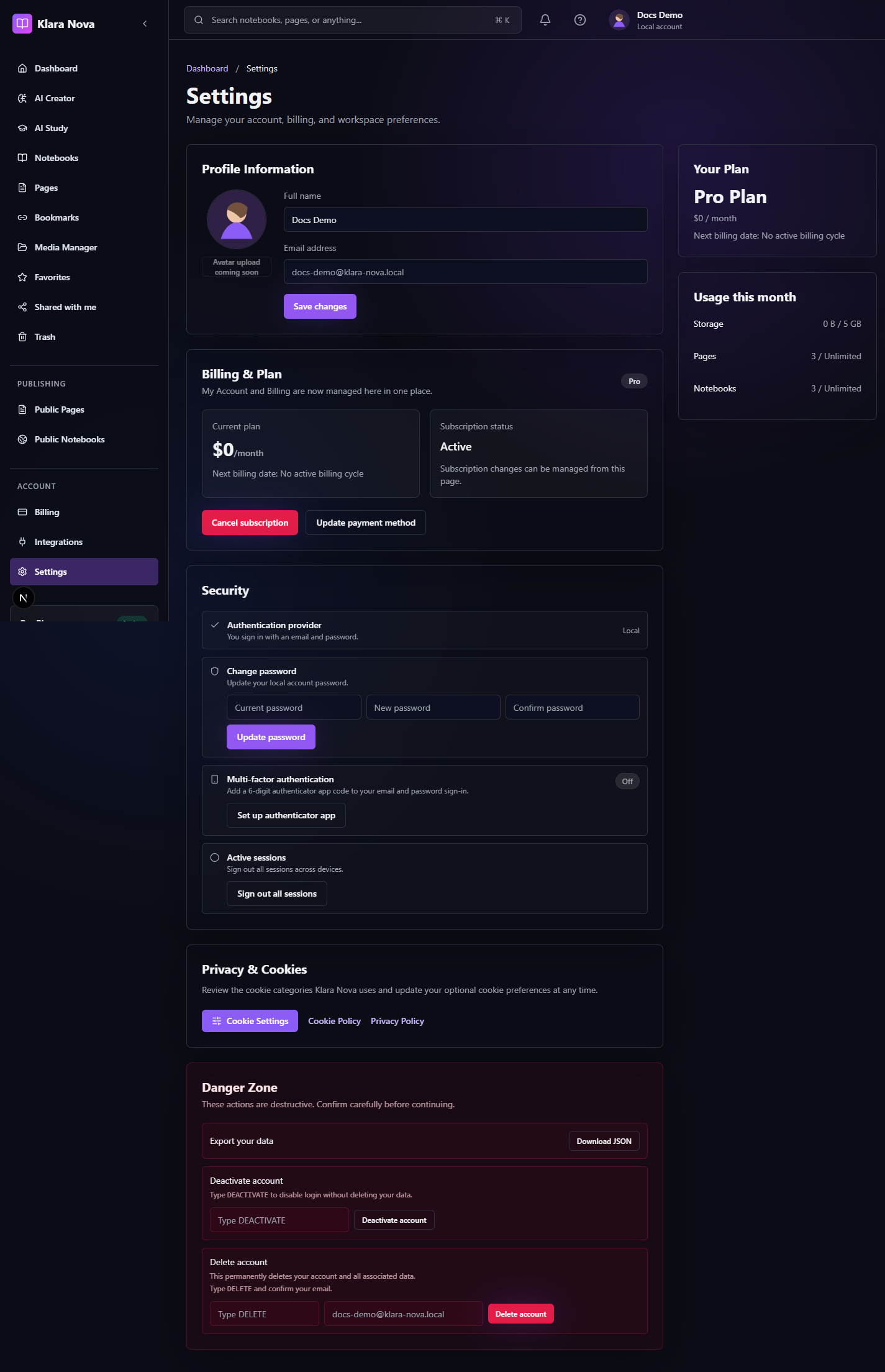
Update Your Account
Use settings to keep access, identity, and preferences current.
Steps
- 1Open Settings.
- 2Update name or profile details.
- 3Change password for credentials accounts.
- 4Enable two-factor authentication if offered.
- 5Manage integrations from the integrations area.
- 6Review API keys if your Pro workspace enables them.
- 7Open cookie settings to adjust consent.
- 8Review desktop app settings when using the desktop client.
Tips
- Keep recovery email access current.
- Disconnect integrations you no longer use.
- Rotate API keys after team or device changes.
Common mistakes
- Deleting integration access before exporting needed data.
- Sharing API keys in pages or public notebooks.
FAQ
Can I undo a change?
Use page history where available, or restore deleted items from Trash before permanent deletion.
Who can see private work?
Private notebooks, pages, media, bookmarks, and notes are only visible to you unless you explicitly share or publish them.